Reference
Get started
GitHub
Reference
Manage what you've uploaded, and what's worth knowing before you rely on it.
Manage what you uploaded #
Commands for managing what’s already uploaded:
uploads list # see your filesuploads delete <key> # remove a fileuploads usage # storage used by your workspaceuploads staged # what's queued for this branchuploads --help # everything elseBrowsing your screenshots #
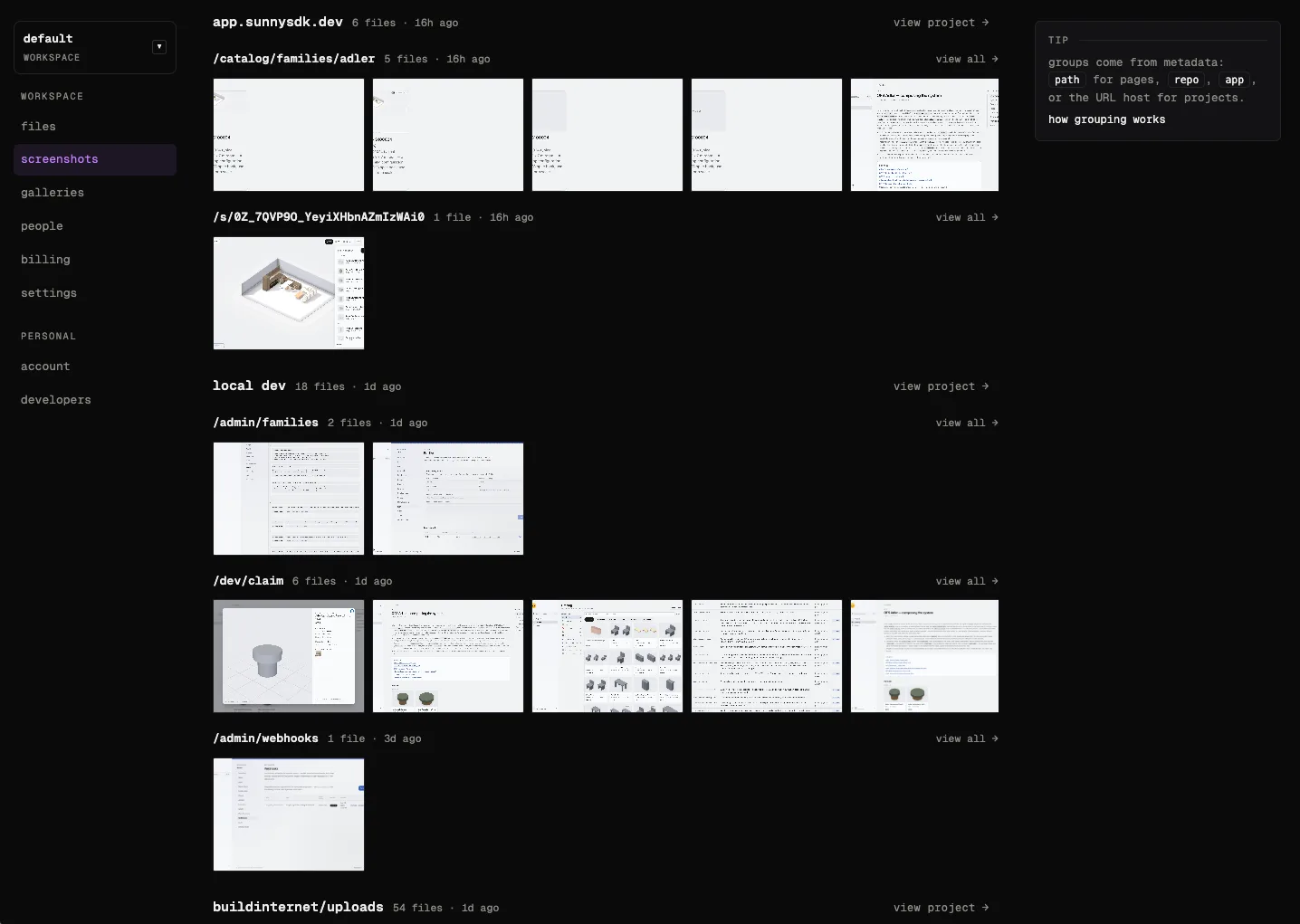
Everything you upload shows up in your workspace, grouped by where it came from — pages by path,
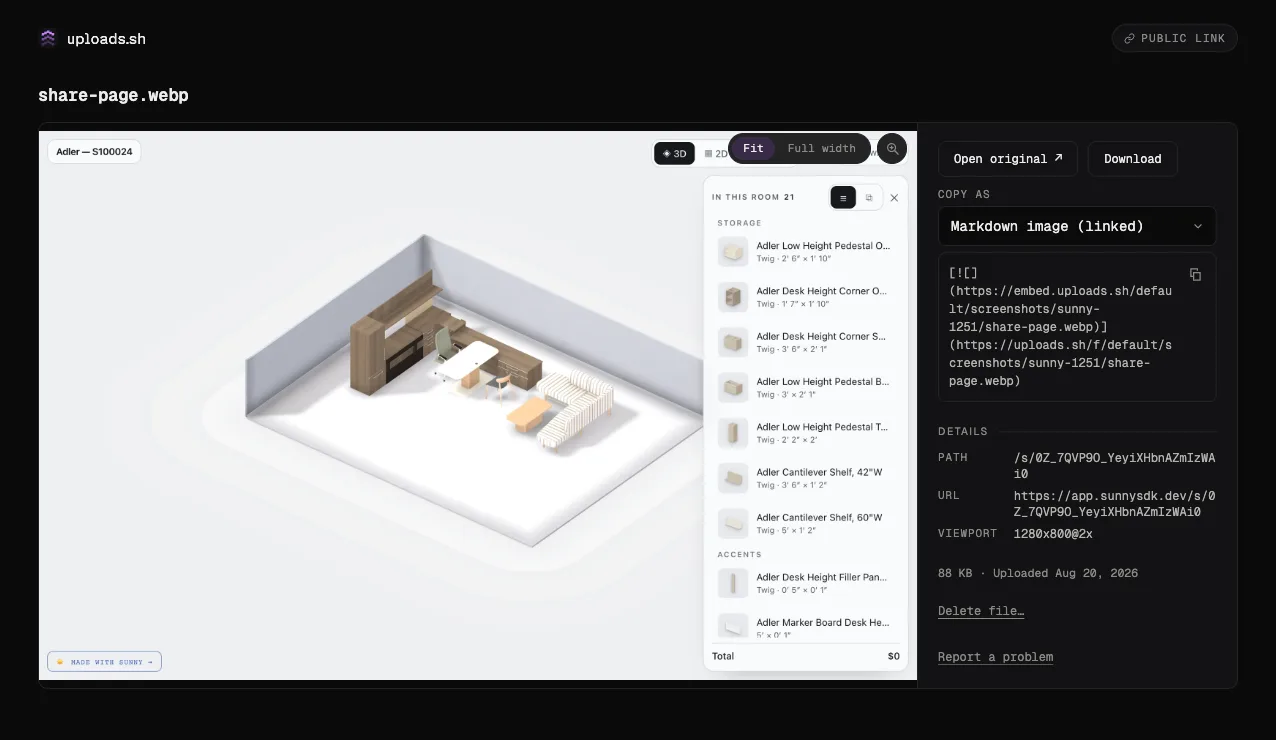
projects by repo or app. Open any file to get its share page: copy-ready embeds, the raw URL,
and a delete button. When a workspace has experimental AI
labels on, classified files also show a read-only AI labels
block under path / state.
Good to know #
- Hosted files are public. Anyone with the URL can view them, even media attached to private
repositories. Don’t upload secrets or sensitive UI — if a capture shows credentials, solid-redact
them first with
uploads annotateorscreenshot --annotate(blurred text can be recoverable). - The visibility toggle unlists — it doesn’t lock down bytes. Marking a file “private” hides it
from your workspace’s public file listing and gates the
/f/…page behind sign-in. The raw file URL (storage.uploads.sh/…) keeps serving the same bytes to anyone who already has it, and edge caches can keep serving recently-public bytes for a short window after the toggle. Treat it as “unlisted,” not “private.” True byte-level privacy would require a workspace with no public domain (signed URLs only), which isn’t how uploads.sh workspaces work today. - Some image metadata is public.
uploadsre-encodes images to WebP and strips their EXIF. Before it strips, it savesviewport,device,software, andcapturedas searchable metadata and shows them on the file’s public page. It never keeps GPS coordinates, serial numbers, or personal names. Pass--no-autoto save none of it,--keep-exifto keep the EXIF, or--no-optimizeto skip processing entirely. - Share pages support embeds. Every public file, gallery, and change feed has a
page at
/f/…,/g/…, or/c/…with oEmbed discovery, so tools that unfurl links can show the media. Resolve one directly via/oembed, passing the page URL as itsurlquery param. Feed item pages (/c/<id>/<item>) page through that set. - Getting access. Sign in and create your own workspace with a linked GitHub account, or get invited to an existing one. A workspace admin can invite by email from the workspace’s People page, or generate a join link there — anyone signed in who opens it joins the workspace. Join links can be multi-use and set to expire in 1–90 days or never, and an admin can revoke one anytime. Questions? Reach out via the GitHub repo.
- Everything lands in your workspace. Files are stored under a prefix for your workspace, and PR/issue attachments get stable, predictable paths, so re-attaching an updated screenshot replaces the old URL’s spot instead of littering.
- Under active development. uploads.sh is built in the open, so APIs (including auth) can still change. Feedback is welcome — open an issue on the GitHub repo.
Looking for deeper material like the REST API, enrollment internals, self-hosting, or operator docs? It all lives in the GitHub repository. Agents can also read /llms.txt (index) or /llms-full.txt (one-file guide).